
Home Office Design: Where to Work, How to Sit and What to Show on Camera
Home office design starts with three decisions: where to work, how to sit and what will appear on video calls. The pandemic accelerated the move to working at home, and many people found they needed a dedicated workspace.
The three decisions behind a home office
- Location
- Comfort
- Appearance
A desk and chair are the foundation, whether you work in a separate room, a corner of the living room or beside the dining area.

Where to put the desk
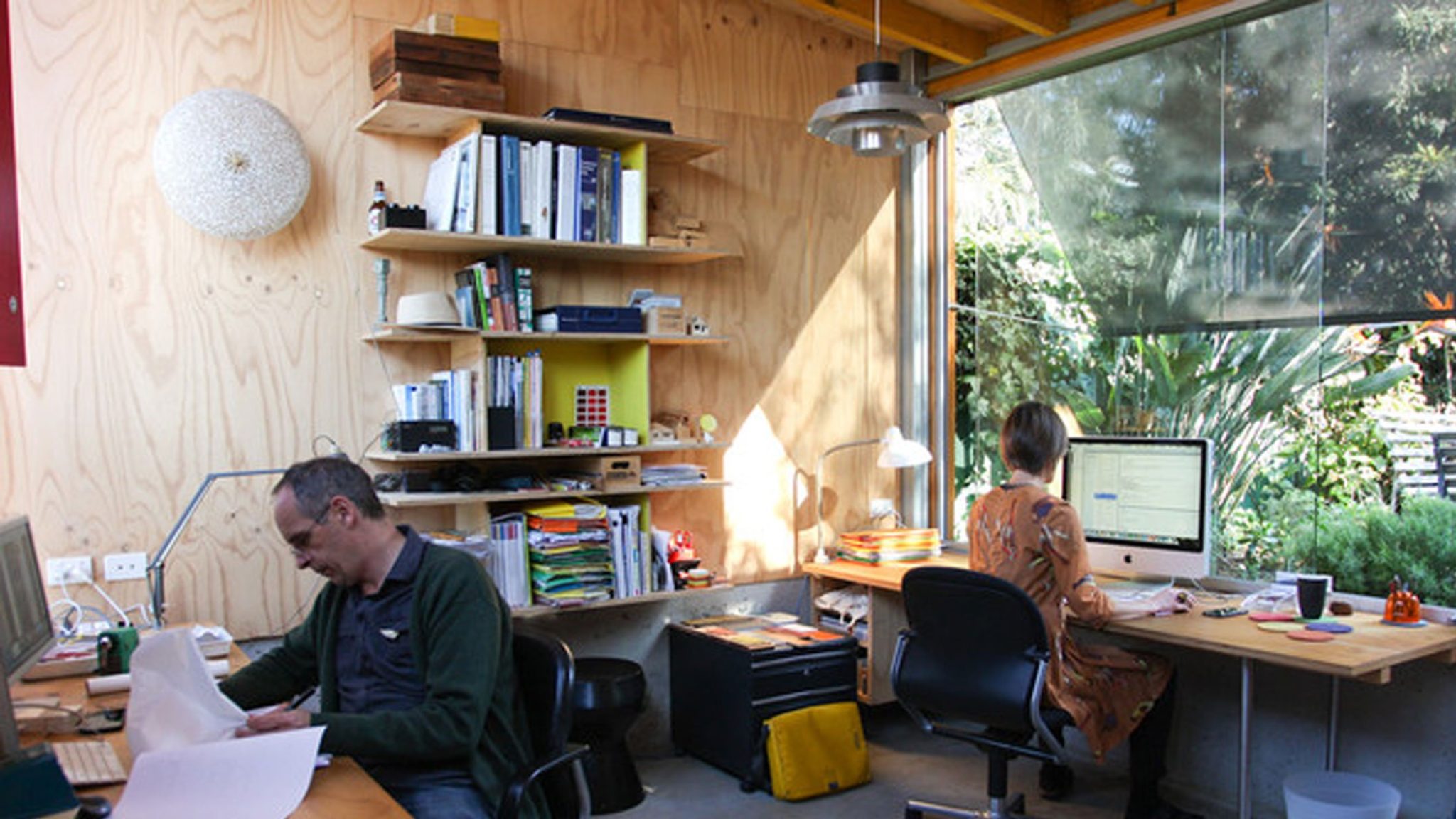
The atmosphere around your desk affects how you feel during the working day. I recommend placing it near a window or balcony with a view, where you can benefit from daylight and fresh air. A small plant or flower can bring some colour to the desk.


Make the desk comfortable to use
Ergonomics is about fitting the environment to the person using it. If you work at a computer for long stretches, start by checking the monitor height and the position of the keyboard and mouse.
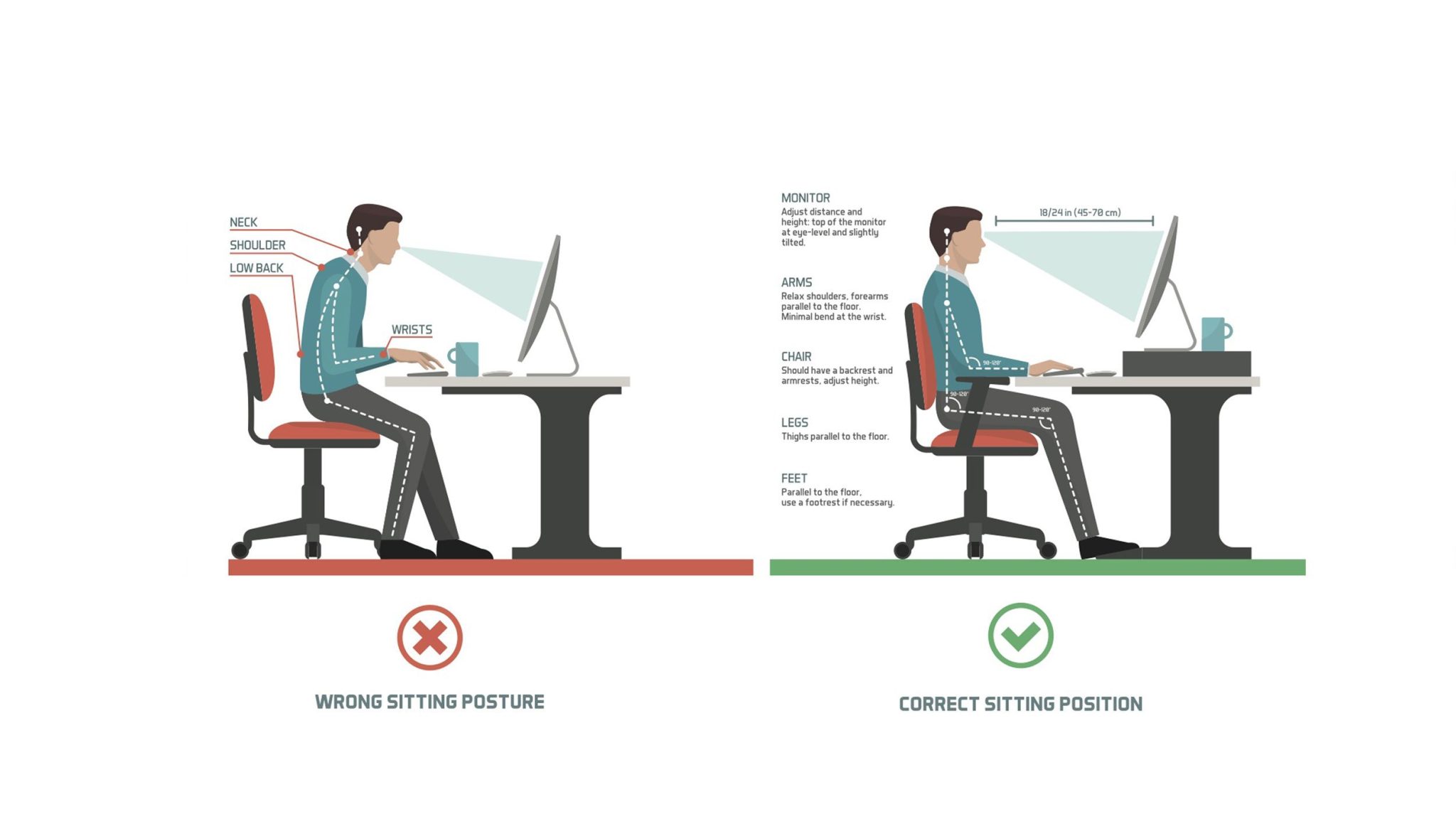
The example on the left shows two common mistakes. A low monitor makes you tilt your head down. A keyboard or mouse at the wrong height can leave your wrist at an awkward angle.
Set up the keyboard and mouse so your hand stays in line with your forearm. A stand can raise the monitor so you can look at it without tilting your head and bring the camera closer to eye level for video calls.

Choose your camera angle and background
Video calls show the room behind you as well as your face. I check both the camera angle and what appears in the frame.
At eye level, the camera avoids the unflattering view from below. In the comparison, the camera is low on the left and level with the face on the right.

Then look at the wall behind you. It becomes the backdrop on calls. You could paint it a different colour, arrange a group of pictures or place a distinctive piece of furniture where it will show in the frame.

Start with the essentials
Choose the desk location, set up a comfortable work surface and check what the camera will show. Then choose colours, furniture and smaller details that fit the style of your home.
If you are planning a workspace for several people, see my guide to planning and designing workspaces.